 MeishiIQ
What MeishiIQ is, and how to use it well.
Five minutes here and the app will feel like an old habit.
What is MeishiIQ?
MeishiIQ turns a stack of business cards into a clean, trustworthy contact database, and shows its work at every step. You point your iPhone at a card; the app reads it on the device, then reviews its own reading: names get proper capitalisation, titles and companies land in the right fields, addresses merge into one clean entry, and phone numbers are classified as mobile or office with the country code inferred from the card itself.
What makes it different is evidence. Every correction the review makes is backed by something visible on the card. Nothing is invented, and anything genuinely uncertain is flagged for a one-tap decision instead of being quietly guessed. The goal is that you intervene for one card in a hundred, not ninety-nine.
It is also, deliberately, yours alone. There is no account, no sign-up and no MeishiIQ server. Optional AI features use your own API key with a provider you choose; without one, the on-device pipeline does the work. Your data can leave any time you want it to, as Excel, CSV or vCard, and never otherwise.
Why the name?
名刺Meishi is the Japanese word for business card. In Japan, exchanging meishi is a small ceremony: the card is offered with both hands, received with both hands, read with attention, and never stuffed carelessly into a pocket. The card stands in for the person, so it is treated with the respect the person deserves.
That is exactly the attitude MeishiIQ takes to every card you are handed. Instead of a blurry photo in your camera roll or a name typed half-right weeks later, the card is read carefully, checked against itself, and turned into a contact worthy of the person who gave it to you.
The IQ is the intelligence layer, and the family name: MeishiIQ stands alongside ReadoutIQ and PinyinIQ, apps built on the same idea that careful, private intelligence on your own device beats a cloud service holding your life.
How to use MeishiIQ
-
Step 1 · Scan
Point the camera at a card.
Tap the big Scan button. Single card captures front and back and reviews immediately. Rapid batch is for a stack: front side only, card after card, while processing runs behind you. Tabletop reads several cards laid out in one photo. Framing is guided and the shutter fires itself; you can also import photos of cards you took earlier.
-
Step 2 · Review
Let the review do its work.
Each scan is read on your device, then reviewed automatically. Most cards sail straight through into Contacts, hands-free. The few that need you wait in the Needs review queue, each with the uncertain fields marked and the evidence shown, so a decision is one tap.
-
Step 3 · Organise
Groups, tags and search.
File people into groups, tag them freely, and search across every field, note and transcript. Record a voice note after a meeting and it is transcribed on the device, so "the investor from the robotics panel" is findable in seconds. Re-scanning someone you already have merges into their existing contact, reversibly.
-
Step 4 · Stay warm
Insights and follow-ups.
The Insights tab keeps score for you: follow-up reminders, and a relationship pulse that spots the contacts going quiet before you lose them. Ask MeishiIQ lets you chat with your own database: who you met where, who you promised what.
-
Step 5 · Share your own card
My Card.
Set up your details once, then share them in seconds as a QR code any camera understands, by AirDrop, or as a vCard file. Keep a second, limited card for occasions when you would rather not hand out every number.
-
Step 6 · Your data
Take it with you, or lock it down.
Export everything anytime: Excel, CSV or vCard, phone numbers intact. Move devices with the archive export and import in Settings. Turn on iCloud sync only if you want it, into your own private iCloud. Deleting all data requires the passcode only you set, so nobody empties your network by accident.
Small things worth knowing
- Duplicates are caught early. The app warns you before the same card is filed twice, and merges are always reversible in Merge history.
- Apple Contacts, if you want it. Accepted people can be saved into your iPhone address book automatically; a Settings switch turns this off.
- AI is optional, and yours. Cloud AI features work only when you enable them and supply your own API key with the provider you choose. Without one, everything still works on the device.
- Dark mode looks after itself. The whole app, cards included, adapts to your appearance setting.
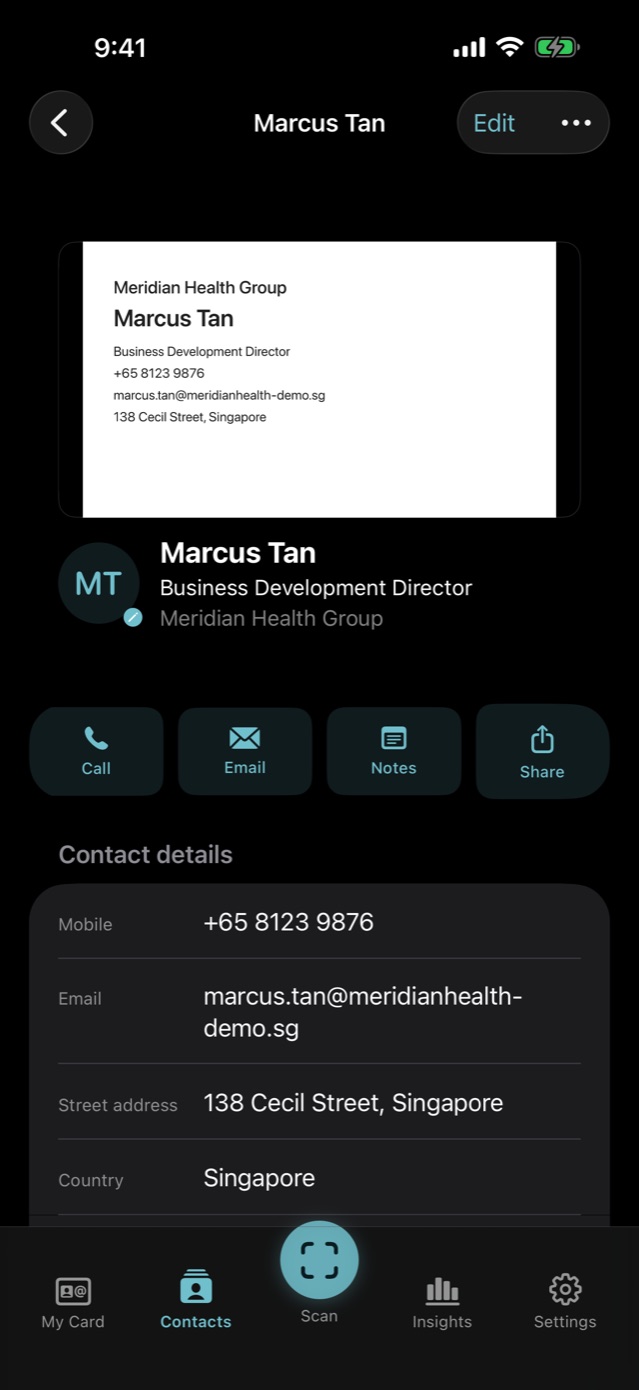
Ready when the next card is.
Download MeishiIQ and scan your first card in under a minute.

For iPhone.